Post a piece to Instagram and Facebook
A listed piece deserves an audience. The app posts one photo and a caption drafted from the listing to your Facebook Page or your Instagram account, and remembers the post so you can find or remove it from the piece later.
-
STEP 1Connect Instagram and Facebook
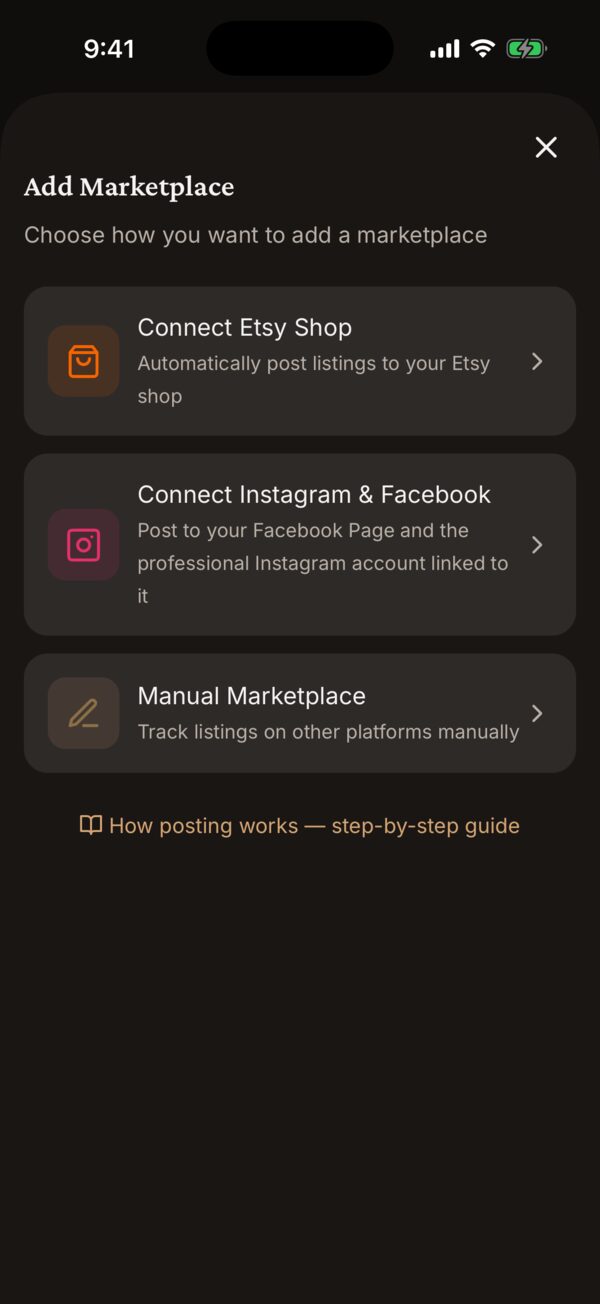
Go to Settings → Marketplaces → Manage Marketplaces, tap Connect Instagram & Facebook, then Connect with Facebook. Meta’s sign-in opens in a sheet; choose the Page. Back in the app your Page and your Instagram account each appear as their own marketplace, so you can post to either.
Instagram missing after connecting? The Page has no professional Instagram account linked yet. Link one in Meta Business Suite, then tap Reconnect on the Facebook card.
-
STEP 2Open the piece and choose where to post
Tap the piece in Inventory, then Post to Marketplace (or Add Another Marketplace if it is already on Etsy) and pick Instagram or Facebook.
-
STEP 3Pick the photo and read the caption
The Post to Instagram (or Facebook) sheet shows the piece’s photos under PHOTO — tap the one that should carry the post. The CAPTION is drafted from the title, description and tags in your style-guide voice. Flip Include price to redraft it with the price in. Edit anything you like; it is plain text.
-
STEP 4Post
Tap the post button. The piece is marked Listed and the post appears under LISTED ON on the piece page, next to any Etsy listing.
-
STEP 5About the shop link
Instagram captions cannot carry a tappable link, so the caption ends with “Shop link in bio” and, when the piece is on Etsy, the listing URL as plain text. Keep your Etsy shop link in your Instagram bio. Facebook posts include the Etsy listing URL directly when the piece is listed there.
-
STEP 6Afterwards
Tap the post under LISTED ON for Listing Options: View on Instagram / View on Facebook, Copy Listing URL, and Remove & Delete Post, which deletes the post on the platform too.
Good to know
Can a post carry more than one photo?
One photo per post today. Choose the angle that sells the piece — the front view or the in-hand shot usually does.
The connection stopped working.
Meta tokens expire. Tap Reconnect on the Facebook card in Marketplaces; nothing you have posted is lost. Remove only deletes the app’s record of the connection — posts on the platform stay up.
Anything else?
Email support@kilntocart.com — it reaches a person.