Templates and your voice
The AI writes a solid Etsy listing out of the box. Two things make it yours: the Personal Style Guide, which is how you sound everywhere, and templates, which are recipes for one kind of piece. Most potters only ever need the first.
-
STEP 1Know what Auto-Generate already does
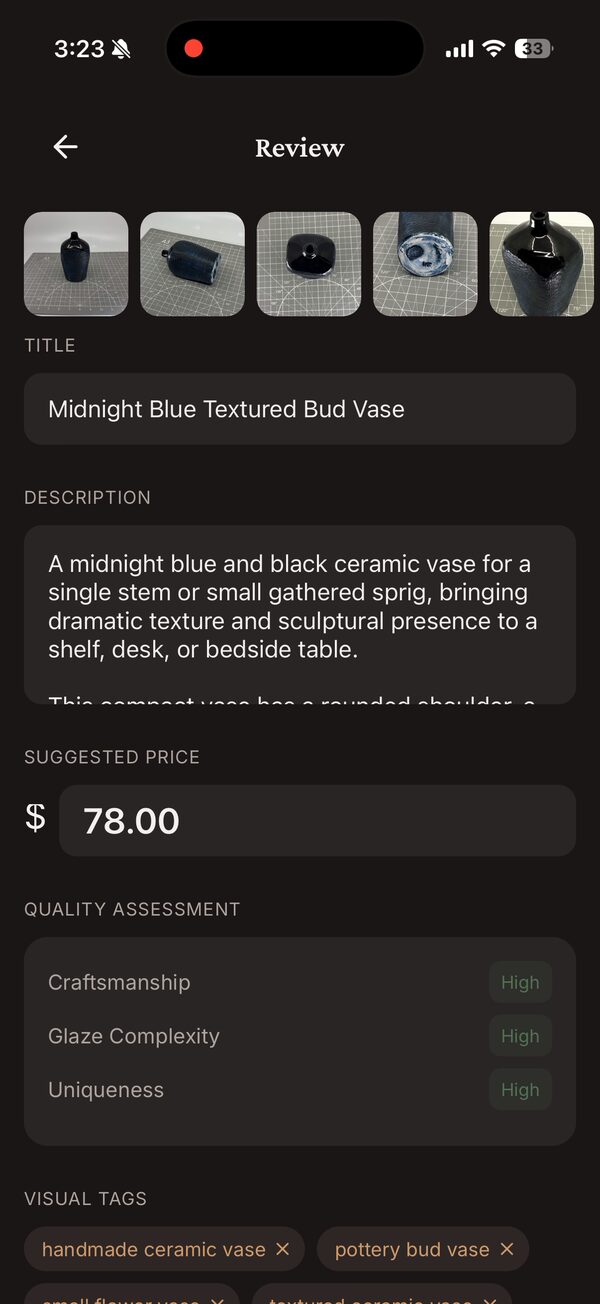
Auto-Generate is the default at the Choose Template step of capture (marked Recommended for your first piece). Its built-in prompt is Etsy-shaped: an opening line written for the search snippet, only the facts from your photos and notes (no invented firing or food-safety claims), 200–350 words, and up to 13 tags ordered most-searched first. It also suggests a price from your pricing settings.
-
STEP 2Write your Personal Style Guide
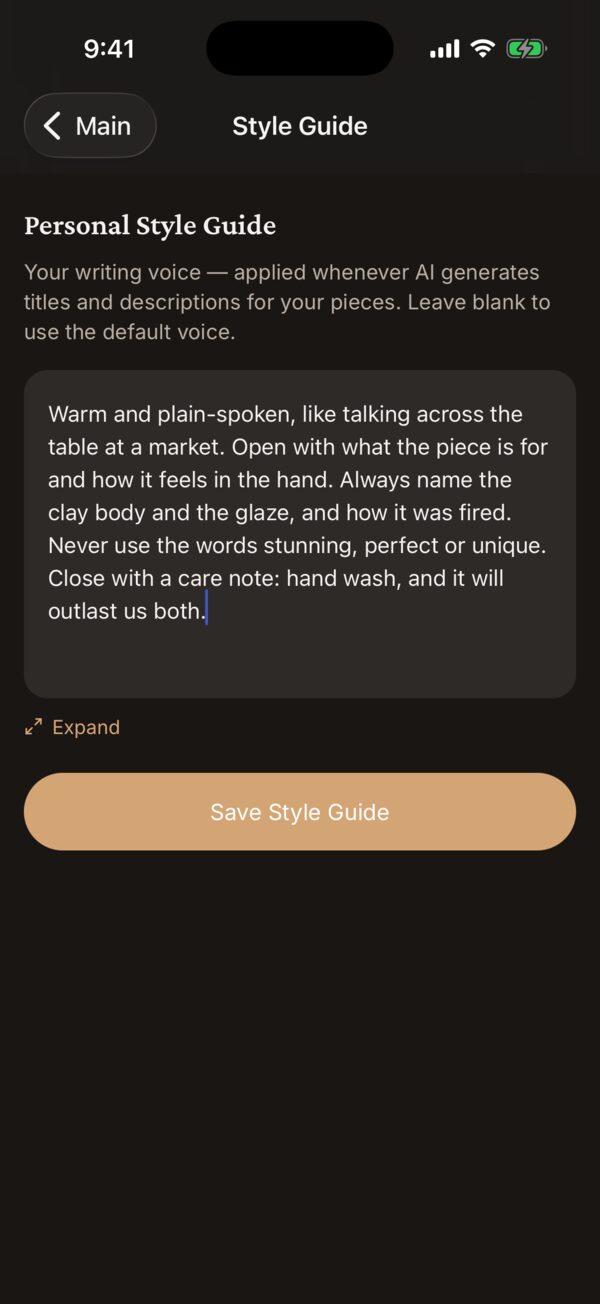
Open the Templates tab and tap Personal Style Guide under VOICE. Describe how you write: what you always mention (clay body, firing, the care instructions you stand behind), what you never say, how you open and close, the words that are yours. Tap Save Style Guide. From then on it is applied to every generation, templates included.
Write it the way you would brief a friend who is listing for you. Three or four honest paragraphs beat a list of adjectives.
-
STEP 3Or let the app draft it from your Etsy shop
If your shop already has sold listings, open it under Settings → Marketplaces and tap Analyze My Listing Style. The app reads your sold descriptions and writes a guide in seven sections — voice and tone, signature phrases, what you always include, what you leave out, how you open, how you close, what you care about. Choose Add to existing, Replace or Discard.
-
STEP 4Create a template when a type of piece needs its own recipe
A template is worth it when one kind of piece always needs the same things said — mugs need capacity and a word about the handle, vases whether they hold water, a series its shared story. In the Templates tab tap +: give it a name, pick the POTTERY TYPE, and edit the TITLE PROMPT and DESCRIPTION PROMPT. A new template starts from the built-in prompt, so change what you would say differently rather than writing from scratch.
{type},{height},{width}and{depth}are filled in per piece.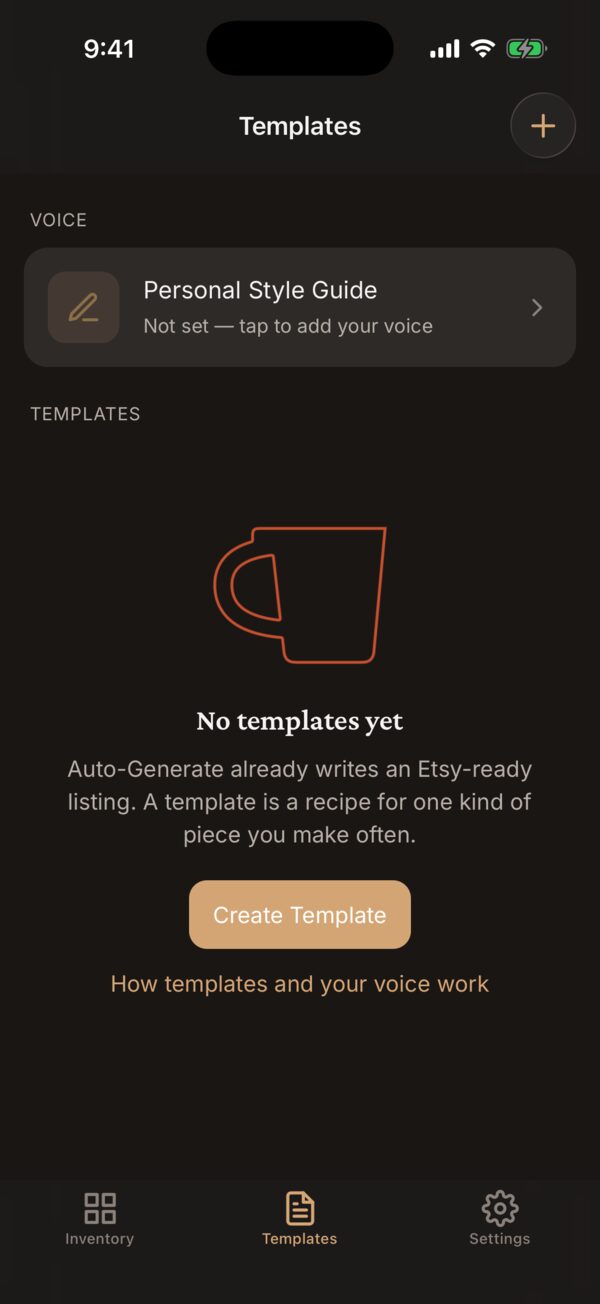
-
STEP 5Use it on a piece
At capture, pick the template at the Choose Template step. For a piece you already saved, tap Edit, tap the Template pill to choose one, then Regenerate with AI. The result comes back field by field next to what you have, and you keep whichever is better.
Good to know
Template or style guide?
The style guide is how you sound, applied everywhere. A template is what a listing for this kind of piece must cover, in what order. They stack: a template is always written in your style-guide voice.
Does a template change the price or the tags?
No. The template shapes the title and description. Tags come from the photos and description, and the price from your pricing settings and the piece’s size.
Where does the AI get its facts?
From the photos, the measurements, and the notes you type on the piece — those notes are passed through as facts, word for word. If a description claims something you never said, add the truth to the notes and regenerate.
Anything else?
Email support@kilntocart.com — it reaches a person.